Pixel Beads
Kiwi FunBoard
4.454.00 Reviews
- Version
- 1.2.8
- Installs
- 10.00K
- Age Rating
- Everyone
Screenshots




Our Review of Pixel Beads
 Analysis by Appyee
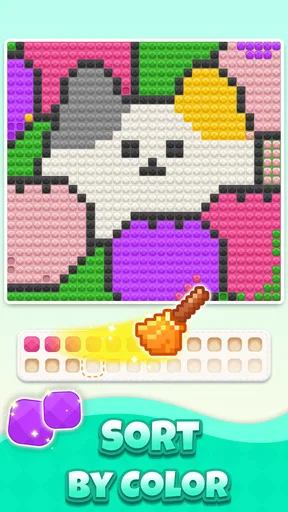
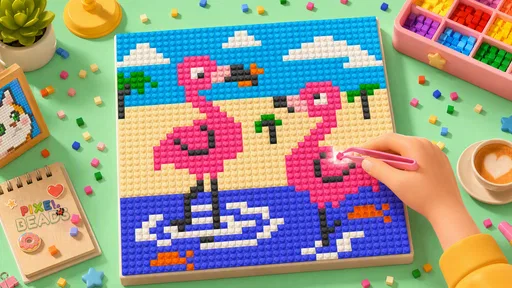
Pixel Beads is the kind of board game I open when I want a small, quiet task rather than a demanding challenge. I sort colored gem beads, match them into the right places, and gradually uncover pixel art. That basic loop is easy to understand, but it has a pleasant rhythm: look closely, make a choice, see the picture become clearer, and repeat. It feels more like a focused coloring break than a traditional competitive board game.
After spending time with it, I think its appeal depends heavily on what you want from a mobile game. If you enjoy visual organization, simple matching, and a sense of completion, this is an inviting choice. If you need deep strategy, fast action, or a large social component, it will probably feel too gentle. My overall impression is positive, but I would treat it as a relaxing puzzle with optional spending rather than as a full-featured board-game replacement.
How the bead-sorting idea works in practice
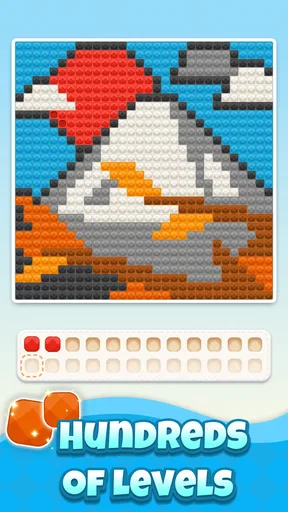
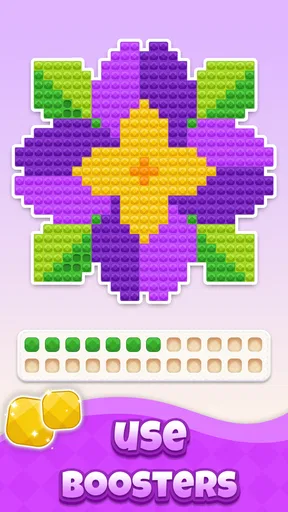
The central idea is straightforward: colored beads must be sorted and matched so that a hidden pixel-art image gradually appears. The game does not ask me to learn a long rulebook before starting. I can understand the visual goal quickly, which makes it suitable for short sessions and for players who prefer immediate interaction.
What makes the loop more satisfying than ordinary color matching is the visible transformation. Each correct group contributes to a larger image, so the reward is not only the move itself. I am also working toward a picture that becomes easier to recognize over time. That gives the small decisions a sense of direction, even when the individual actions are simple.
I found the strongest part of the design to be its low mental entry point. It is possible to play while taking a break, waiting for an appointment, or winding down before bed without keeping a complicated chain of rules in my head. At the same time, the visual board still asks me to pay attention. Rushing through colors can make the session less comfortable, so the game works best when I slow down and scan the available beads carefully.
This is also where the board-game label makes sense, though Pixel Beads is much more solitary and casual than a tabletop game played with friends. The board is the main space for decision-making, and the satisfaction comes from arranging pieces correctly. However, I would not install it expecting the negotiation, bluffing, planning, or direct competition found in familiar board-game adaptations.
A useful routine for calmer sessions
My most effective approach was to avoid treating every board as a race. I first looked for the colors that were easiest to distinguish, then worked through the more crowded areas. This reduced the chance of making a hurried selection simply because one bead caught my eye. The small habit of scanning before acting made the experience feel more like coloring and less like tapping randomly.
Another practical tip is to use the image itself as a guide rather than focusing only on isolated bead groups. When several choices seem similar, the emerging picture can provide context. A partially completed area may suggest where attention is most useful next. This does not turn the game into a difficult logic puzzle, but it gives observant players a better workflow than blindly filling whatever appears first.
That visual feedback also makes Pixel Beads approachable for people who like craft-style activities but do not want the mess or preparation involved in physical beads. It can fit into a short break with almost no setup. The trade-off is that the screen-based interaction cannot offer the tactile feel of real beads, so anyone choosing it specifically for hands-on crafting may prefer a physical alternative.
Where progress feels rewarding, and where it may slow down
The reveal mechanic gives each completed section a clear emotional payoff. I like seeing a vague arrangement turn into a recognizable pixel image, and that gradual reveal encourages me to finish a board instead of stopping after a few moves. The game understands that completion itself can be motivating.
Still, the same structure can become repetitive for players who need constant novelty. Sorting colors and matching positions remain the heart of the experience, so the game does not suddenly become a different genre halfway through. If you enjoy repeating a familiar action while relaxing, that consistency is a strength. If you expect increasingly complex systems, character development, or a campaign with major twists, the simplicity may feel limiting.
For an everyday example, I can imagine using it during a ten-minute pause between tasks. I would not need to remember a story or coordinate with another person. I could complete a few sections, put the phone down, and return later when I wanted another quiet activity. That makes it more practical than many board games for fragmented schedules, although it also means the experience is built around small moments rather than long, memorable sessions.
Spending, pressure, and fairness
Pixel Beads is free to play, which makes trying the basic experience easy. The game also includes in-app purchases ranging from $1.99 to $99.99 per item. That is the most important point to consider before installing: the entry cost is zero, but the optional purchase range reaches from a small add-on to a much larger single-item price.
I would approach the spending side with a simple rule: decide before playing whether I am comfortable staying entirely free, and avoid allowing a relaxing session to turn into an impulse purchase. The calm presentation can make spending feel less noticeable than it would in a competitive game, so setting a personal limit is sensible even when the game itself feels low-pressure.
The purchase information establishes that optional items exist and gives their price range, but it does not by itself explain how those items affect progress. I therefore would not promise that purchases are unnecessary, nor would I claim that they are required. A careful player should inspect each purchase screen and understand what is being offered before confirming anything.
This matters because a coloring-style puzzle can be enjoyable precisely when it feels unhurried. If an item is presented at a moment when I am stuck or eager to reveal the next part of an image, the decision may feel more urgent than it really is. My advice is to treat every offer as optional until I have decided that it provides genuine value for my own play style.
Does spending affect competitive fairness?
For me, the fairness question is less about winning and losing and more about whether a player can enjoy the core activity without feeling pushed toward payment. Pixel Beads is not the sort of game I would choose for ranked competition or head-to-head balance. Its appeal comes from personal progress and visual completion, so the usual concerns about paying for a competitive advantage are less central here.
That does not make the purchase model irrelevant. A player who wants to complete images quickly may view paid options differently from someone who is happy to work slowly. The fairest way to judge it is to separate the relaxing bead-matching loop from the optional convenience of spending. I would recommend the game most confidently to people who are comfortable enjoying gradual progress and who do not need every available item immediately.
Players who dislike any in-app purchase prompts should think twice before choosing a free game with paid items. A premium coloring app with one upfront payment may be a better fit if predictable cost matters more than free access. On the other hand, someone who wants to test the concept before paying anything may appreciate being able to start without an entry fee.
Who should play it, and who should skip it?
I would recommend Pixel Beads to casual puzzle fans, people who enjoy pixel art, and anyone looking for a visually tidy way to fill a short break. It may also suit players who prefer gentle goals over timers, battles, or complicated resource systems. The Everyone content rating makes it broadly approachable, and the game runs on devices using Android 7.0 or later, which keeps it accessible to many older phones and tablets.
I would skip it if my priority were strategic depth. Traditional board-game apps often offer layered planning, opponents, varied rules, and meaningful long-term decisions. Pixel Beads is narrower by design. It focuses on sorting, matching, and revealing artwork, so it is better compared with casual coloring and matching games than with a digital version of a serious tabletop strategy title.
I would also look elsewhere if I wanted a strong multiplayer reason to return. Nothing about the core concept makes it a substitute for playing a board game with family or friends around the same table. Its strength is personal concentration. That can be exactly what some players want, but it is not a weakness to overlook if social play is the main reason for downloading a board-game app.
What I would check before committing time or money
The game is developed by Kiwi Fun and currently sits at version 1.2.8. It has an average rating of 4.4 from around two hundred ratings, with over fifty written reviews, and has passed ten thousand installs. Those figures suggest that it has found an audience, but I would still read recent player comments before spending, especially if purchase behavior or pacing is important to me.
Ratings are useful as a quick signal, not as a complete description of the experience. A player who loves relaxing image reveals may rate it highly, while someone expecting a complex board game may be disappointed for perfectly understandable reasons. I would interpret the rating in that context: it indicates a generally favorable reception, but it does not remove the need to match the game with the right expectations.
The release date is June 25, 2026, so I would keep in mind that the game may still be developing as its audience grows. That is not automatically a problem. Newer games can feel focused and uncluttered, but they can also change over time. If I become attached to a particular rhythm or presentation, I would pay attention to updates and player discussions rather than assuming the current experience will remain identical forever.
One practical question is whether the game suits my device. The minimum operating system is Android 7.0, so anyone using an older Android version would need to check compatibility before planning around it. For supported devices, the low-complexity concept should make sense as a casual installation, but I would still allow room for the usual differences between phones, screen sizes, and touch responsiveness.
Another question is whether the art-reveal loop can hold attention over time. My answer is conditional. The reveal gives short-term motivation, and the tactile idea of sorting beads is distinctive enough to make the first sessions pleasant. Long-term enjoyment will depend on how much I like repeating that structure. If I need a constant stream of new mechanics, the game may become a temporary diversion rather than a permanent favorite.
Small decisions that improve the experience
I found three habits especially useful. First, I would pause for a visual scan before selecting a color. This prevents the board from feeling frantic and makes mistakes less likely. Second, I would use the partially revealed picture to choose the next area when several options look equally attractive. Third, I would separate completion goals from purchase decisions: finishing an image is satisfying, but that satisfaction does not mean an offer must be accepted immediately.
These habits are simple, but they change how the game feels. The first supports accuracy, the second makes the artwork part of the puzzle rather than a passive reward, and the third protects the relaxing mood from turning into spending pressure. None of them requires advanced skill, which is appropriate for a game built around accessible visual matching.
I also think the game works better when I choose the right session length. A short visit emphasizes calm progress, while a long uninterrupted session can expose the repetition more clearly. If I were introducing it to a friend, I would suggest trying it as a break-time game first rather than judging it as a title meant to occupy an entire evening.
My verdict on Pixel Beads
Pixel Beads succeeds because it keeps its promise at the level of experience, not because it tries to be bigger than it is. Sorting colored gem beads and watching pixel art emerge creates a pleasant loop that is easy to begin and comfortable to revisit. I like that the goal is visible, the actions are understandable, and the game can fit naturally into spare minutes.
Its limitations are equally clear. The gameplay is focused rather than deep, the solitary format will not replace a social board game, and the free model includes in-app items priced from $1.99 to $99.99 per item. I would be cautious with spending and would not assume that payment is either essential or irrelevant without examining each offer in context.
For me, the best reason to install it is the combination of quiet concentration and visible pixel-art progress. It is a good choice when I want something more engaging than passive scrolling but less demanding than a strategy game. It is not the right choice when I want competition, rich rules, or a guaranteed one-time purchase experience.
With its Everyone rating, Android 7.0 minimum, free entry, and current version 1.2.8, Pixel Beads is easy to approach for the audience it targets. I would recommend trying it without spending first, learning whether the bead-sorting rhythm genuinely relaxes me, and then deciding whether any optional item is worth the cost. That approach gives the game room to show its strengths while keeping the final decision firmly in the player’s hands.
Verdict
Strengths of Pixel Beads
- Relaxing, low-pressure gameplay suitable for short creative sessions.
- Large color palette allows detailed and varied bead designs.
- Simple controls make it accessible for beginners and younger players.
- Completed patterns can provide a satisfying sense of progress.
- Works well as a casual activity when you want to unwind.
Limitations of Pixel Beads
- Some designs may feel repetitive after extended play.
- Detailed pictures can take considerable time to complete.
- Small bead areas may be difficult to select on compact screens.
- The creative options may be limited compared with full art apps.
- Performance and available content can vary between devices.
Other Releases by Kiwi Fun
View All
Mahjong Solitaire - Master
Board4.6
Similar Picks in This Category
View All
Ludo King®
Gametion4.1

Ludo
Yarsa Games4.6

Tile Master® - Matching Game
Higgs Studio3.6

Checkers Online
CC Games4.6

Dominoes
Loop Games4.7

Chess
Chess Prince4.6
Frequently Asked Questions
What is Pixel Beads, and how does the app work?
Pixel Beads is a creative pixel-art activity that lets you build colorful designs by placing virtual beads on a grid. You can usually choose a template, follow its numbered or color-coded pattern, and complete the image one bead at a time. The simple controls make it accessible to beginners, while larger and more detailed patterns provide a longer challenge for experienced users.
Is Pixel Beads suitable for children and beginners?
Yes, Pixel Beads is generally easy to understand and can be enjoyable for children, teenagers, and adults who like crafts, coloring, or pixel-art games. The guided grid and limited color palette make the first designs approachable. Parents should still review the app’s age rating, advertising, privacy information, and any purchase options before allowing younger children to use it.
Does Pixel Beads require an internet connection?
The basic bead-placement experience may work without a constant internet connection, especially after the necessary content has been loaded. However, some features can depend on online access, including advertisements, new design downloads, cloud synchronization, sharing, or account-related services. If offline play is important to you, test the app in airplane mode because functionality can vary between versions and devices.
Are there in-app purchases or advertisements in Pixel Beads?
Pixel Beads may include advertising and optional in-app purchases, depending on the platform and version available in your region. Free users may encounter ads while opening designs, changing sections, or completing artwork, while paid options can sometimes remove advertising or unlock additional content. Before downloading, check the store listing for current pricing and review purchase settings if children use the device.
What devices are compatible with Pixel Beads, and is progress saved?
Compatibility depends on the specific Android or iOS release, so you should check the official store page for the required operating-system version and available storage. Progress is often saved locally, but cloud backup or synchronization may require an account and may not be available in every version. Avoid deleting the app or changing devices until you confirm that your completed designs are backed up.
Play our best games!


